article number
727445

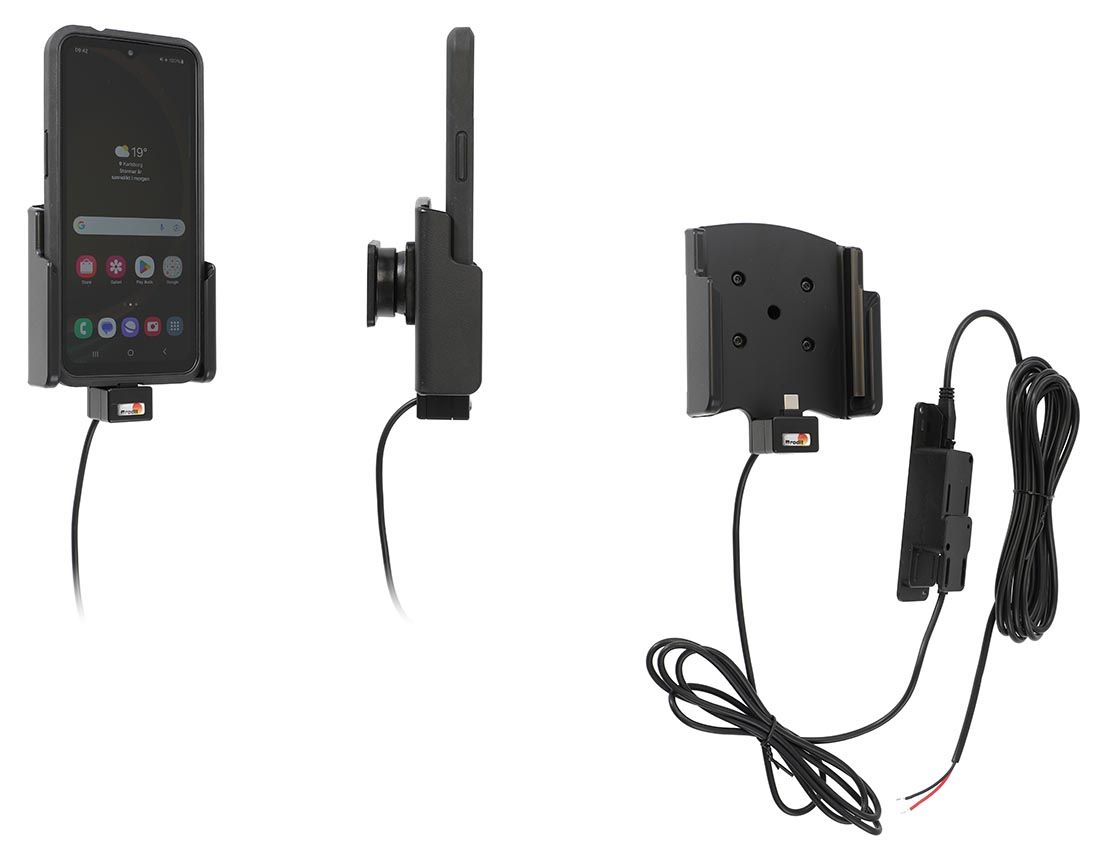
Brodit fixed install.holder Samsung Xcover 7 Otterbox React

€106.95
In stock
-
+
  • Fast Shipping
  • High Quality Products
  • Secure Payments
Details
Charging holder with hard-wired power supply for a discreet, neat installation without cables hanging over the interior! Keeps your battery fully charged at all times and your device in an upright position for better reception. Provides for safer driving when viewing, accessing and operating your device in your vehicle. Custom made design with a perfect, firm fit for bare devices (not in case/skin/boot). Easy dock/undock your device with one hand.   Charging via USB-C connector enables for quick charging. The charging box has two USB ports: Type-A (free for power supply of additional device) and Type-C (connected to the holder). 12/24Volt.   The holder is equipped with a tilt swivel so you can easily adjust the angle for better viewing, or switch between portrait and landscape mode. Tilts 17° and swivels 360°. Mounting plate 42x50 mm with 4 mm AMPS-holes. Made of high grade black ABS/Acetal plastic. Made in Sweden. For easy and optimal installation, attach the holder onto a custom ProClip Vehicle Mount, a Pedestal Mount or attach it directly to any surface.
More Information
More Information
Accessory brand Brodit
Barcode 7320287274455
Recommended retail price incl. VAT €106.95
Device with or without cover ja
Holder feature Toestelspecifiek
Cable / Qi / charger type / connnector Molex, fixed install
Toestel connector usbC
Input Voltage 12/24V geschikt
Voltage (output) QC - QuickCharge
Max Amperage 2,7 Amp
Montage standaard AMPS
Device holder lockable? no
Color black
Productinfo Brodit houder
Product installation Mount the holder on a ProClip in your vehicle. A detailed installation manual is included in the product packaging
Product suitable for Brodit houder
Exchange period 30 days
Repair period 30 days
Return period 30 days
Show more + Show less -
Reviews
Write Your Own Review
You're reviewing:Brodit fixed install.holder Samsung Xcover 7 Otterbox React
Compatibility
Show more + Show less -
Instruction
Please read all of the instructions and  look at the pictures before attaching the holder.   1. Loosen the screw in the center of the holder so you can remove the tilt swivel attaching plate on the back.  
2. Place the attaching plate onto the desired position. Screw the attaching plate into place with the enclosed screws.  
3. Place the holder over the attaching plate so the screw fits in the hole in the tilt swivel and screw it into place. Tighten the screw firm at first, then loosen it a bit so the holder is firmly in place, but still can be adjusted.  
4. The holder is in place.

Scroll to top